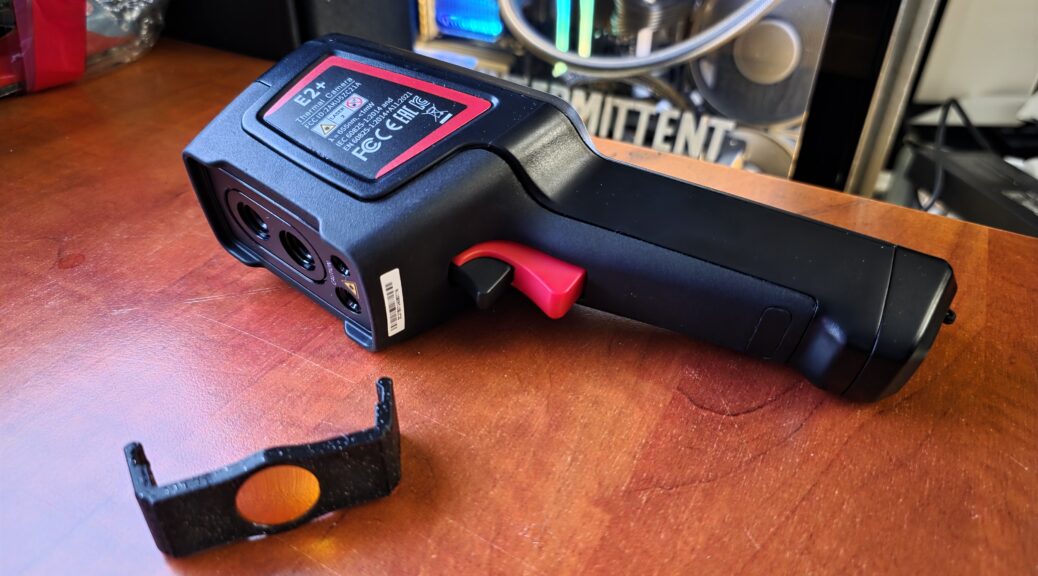
I bought a GuideIR E2+ right when it was released in November 2024, next to seeming to be a nice IR camera one of the main features I was interested in was the WiFi streaming feature it offered. Being able to connect it to my home WiFi and wirelessly streaming to my PC so I can show it during my livestreams seemed awesome! But alas, it never worked, until now!
Once your new cluster is up and running and you want to move over data sets from an old server/node to a new one, how do you do that? The method I’ve come up with is the following…..
During my most recent installs there are several small tweaks and tuning settings I’ve done that I’d like to document somewhere and maybe you can benefit from them too!
This will be a random collection of things with only minimal explanations!
I have a Proxmox cluster running with 3 nodes and I have 2x 10Gbe interfaces per machine, one for my internal backend network for the cluster communications and storage replication and one for my normal LAN traffic.
But I want both sides to be accessible from several other subnets and VLANs but normally you can only have a single gateway, how to configure this?
You might have a few Minisforum machines (In my case my BD790i Proxmox cluster) running something else then Windows but would like to update the firmware, you can do so without having Windows installed following this guide!
I recently upgraded my 5 year old computer from a AMD Ryzen 5950x to a AMD Ryzen 9950X3D together with everything that comes with that, new motherboard, new memory, etc..
As a storage minded person I wanted to get the “ultimate” storage setup for what was possible! Turns out the X870e chipset has some quirks to take into account! Let’s go through it including some benchmarks for the Samsung 9100 PRO and the Samsung 990 Pro!
If noise is of importance the PC fan you choose can make a big difference. Choosing a higher quality fan is much more about noise then it is how effective it is at removing heat! A cheap fan can also remove a lot of heat but a high-quality one can do it without making a lot of extra noise.
For this build I have actually deviated from my all-time favorite Noctua for the CPU cooler! But why do I always go for Noctua?
As a case for all 3 nodes I’ve gone with a Jonsbo N3, I really like the form factor of this case! I have however changed some things about here, below are the modifications I’d suggest.
Expansion slots and 10Gbit networking options (including WiFi slot!)
Normally building a system based on a Micro-ITX board limits your available IO options heavily. You are basically dependent on whatever comes on the motherboard + 1 PCIe x16 slot.
While the same holds true for the system we are building, using some smart modern trickery we can actually get quite a lot of IO and more importantly PCIe lanes out of it!
Let’s explore that a bit and see what our options are, but with this method you’ll be able to get multiple unrestricted 10Gbit ports + NVMe SSDs and SATA drives without a problem!